 PeekMark



Mermaid diagrams
Read flowcharts and sequences without leaving Finder.
Select a Markdown file in Finder and press Space to preview Mermaid diagrams, math, code and tables locally. Your files stay on your Mac.
macOS 14 or later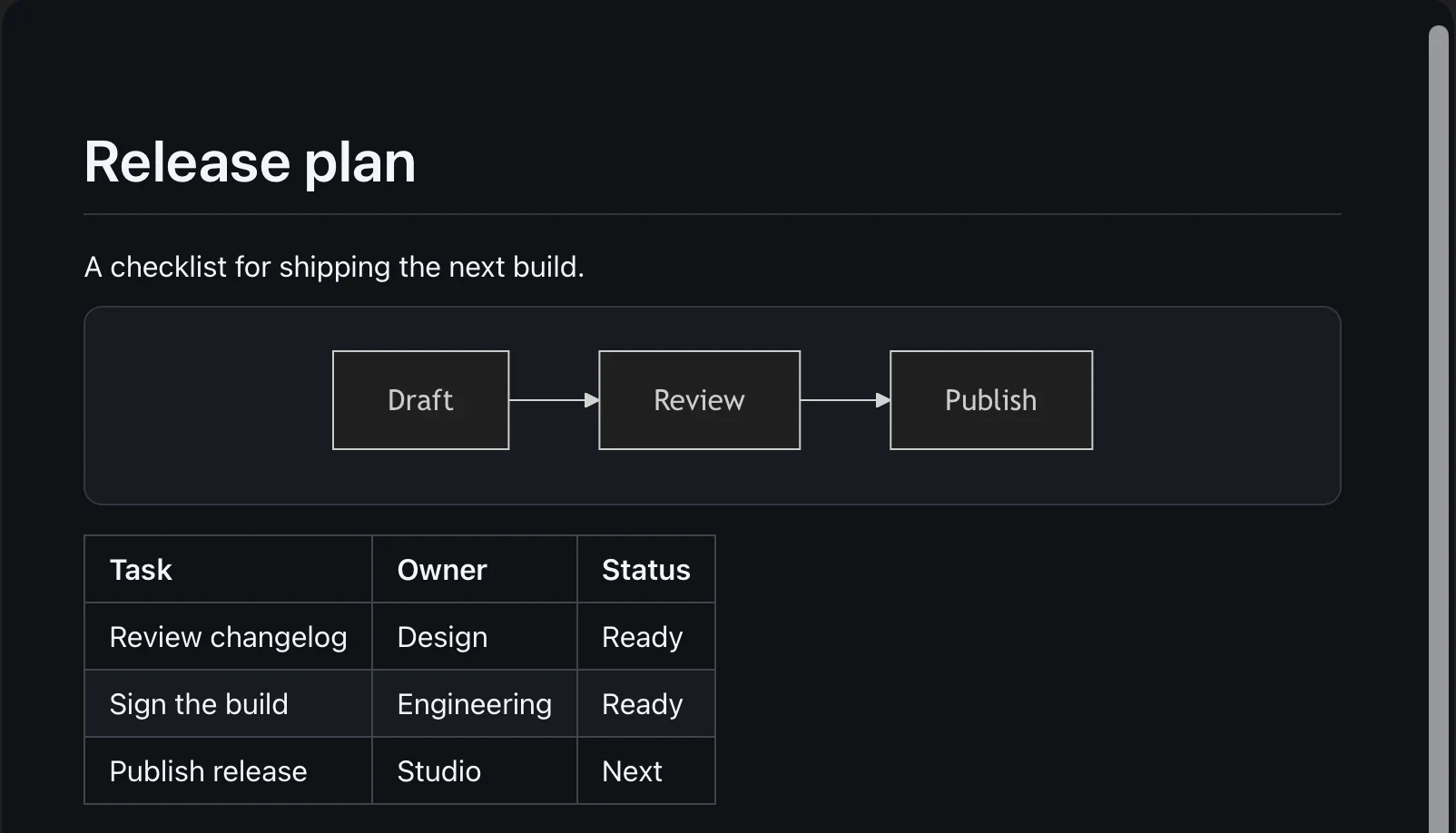
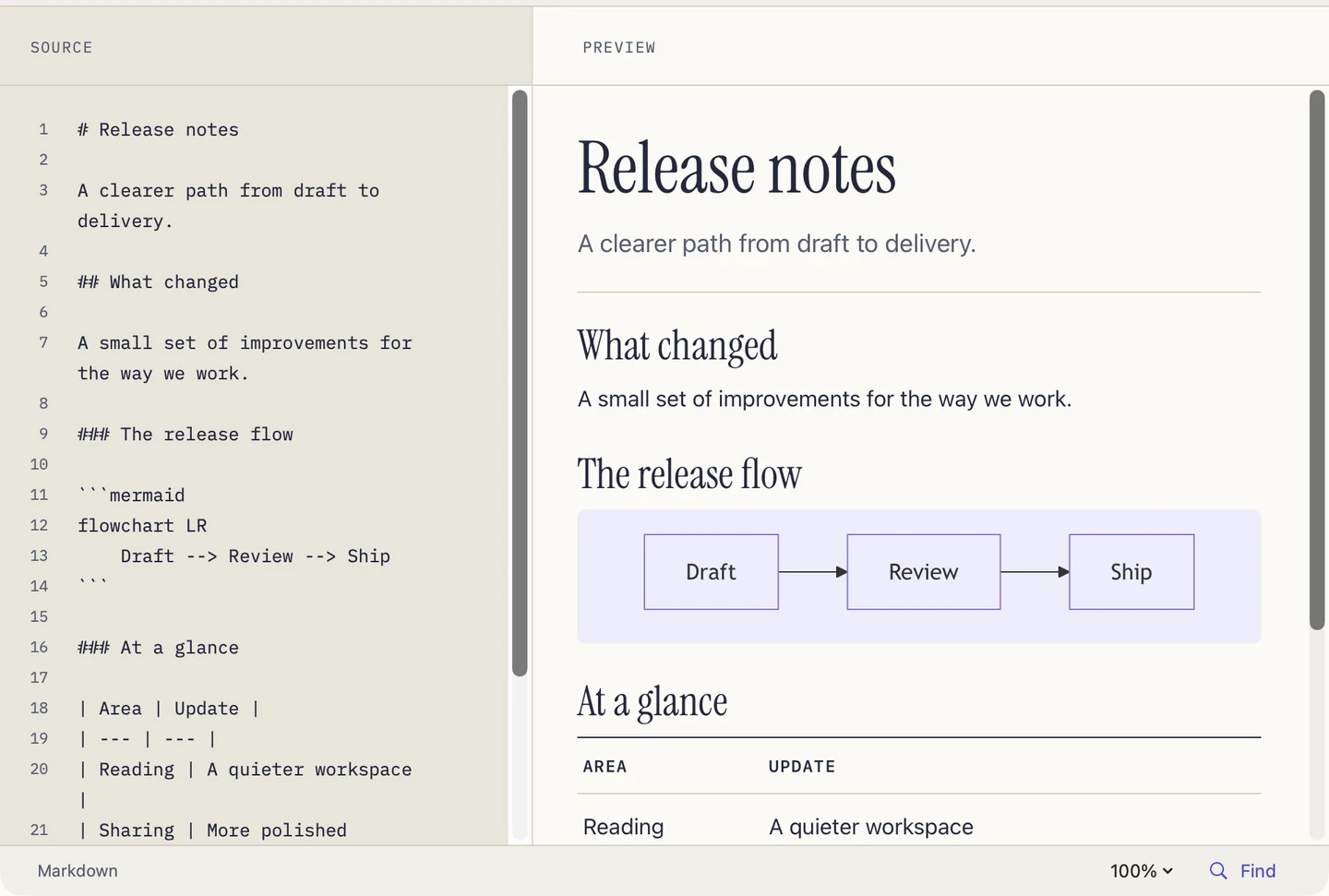
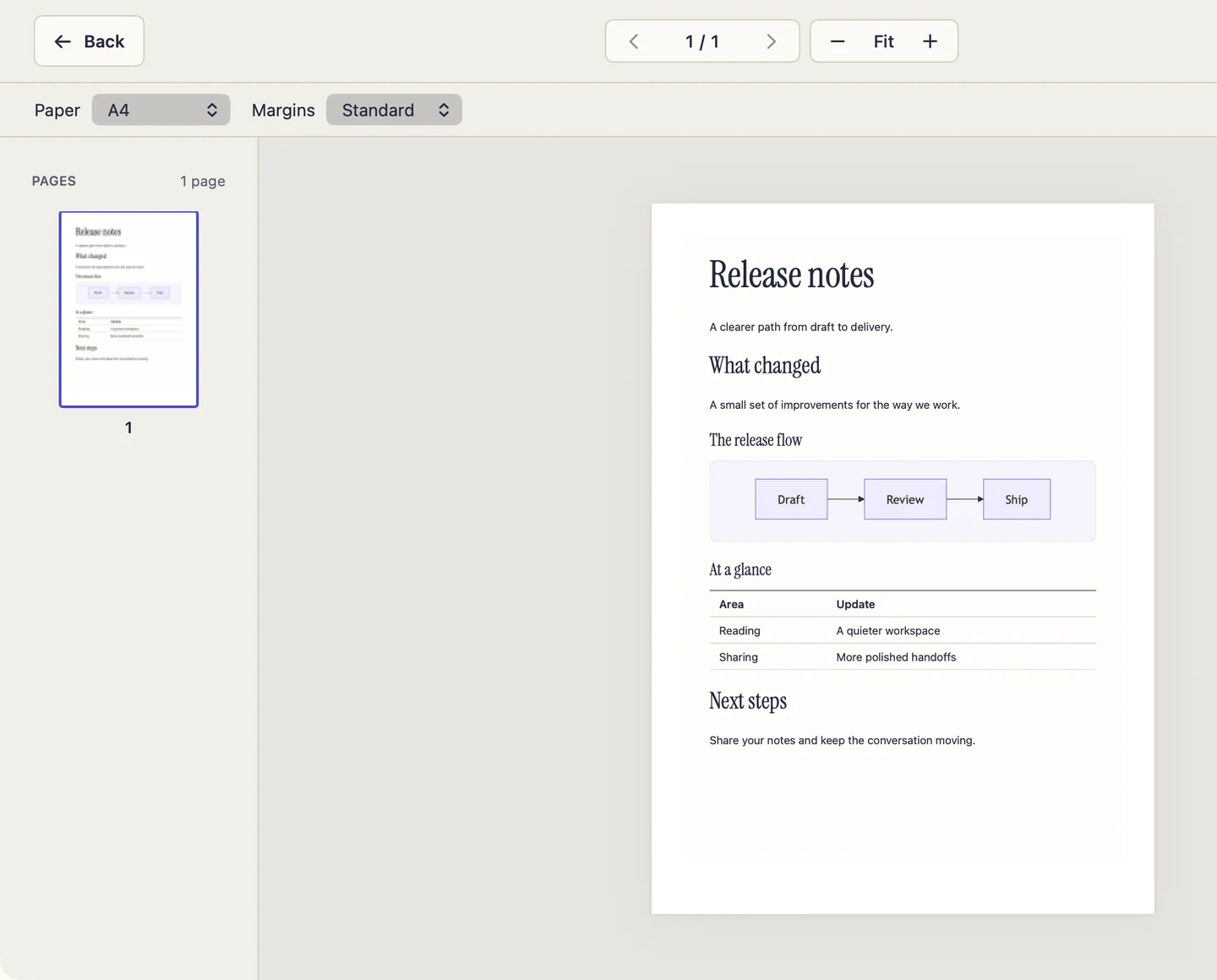
Open a Markdown file in PeekMark to edit beside the rendered page. Preview every page with A4 or US Letter and standard or compact margins. PeekMark Pro lets you save the PDF and remember a default preset.
Read them in Finder or try your own Markdown in the browser.
Try PlaygroundRead flowcharts and sequences without leaving Finder.
Preview equations alongside the rest of your notes.
Read highlighted code, tables and task lists as formatted content.
PeekMark Pro
Open a folder in PeekMark Pro. Search across files, follow backlinks, and export finished notes to PDF, DOCX or HTML.
Install the Apple-notarized Mac app. Use a license key from this website to unlock Pro.
Install with your Apple Account. Pro is a one-time in-app purchase.
View on the App Store 1.0.1Get Finder Quick Look, Mermaid and math in the free, open-source edition.
Activate website purchases with your Quartz license key. Restore App Store purchases with the Apple Account you used to buy Pro.